Buy

SCAT Sauce 3.0.0 · Features

Every tool you need
to finish a record.

17 tools in six stages, from the first Listen to the file you upload. Each one is shown below exactly as it looks in the plugin.

  1. Listen
  2. Tone
  3. Dynamics
  4. Space & color
  5. Finish
  6. Stems & repair

New in 3.0

Drop a song. Get a master.

Drop an audio file, or a one-shot or sample, on the right half of the Overview, or press Master a file. SCAT Sauce analyzes it on your computer and sets the whole chain in one step. Play it right inside the plugin, press Bypass to compare, and export a mastered WAV.

  • Songs get the full master at target loudness; one-shots and samples get polished without a loudness push.
  • Export mastered renders the whole chain to a 24-bit WAV next to your original.
  • Every control moves to the value being applied, and all of it stays editable.
  • Your file is analyzed on your computer and never uploaded.

Listen

It listens before it touches anything.

Play a representative section, press Listen, and Sauce builds a finished master from your actual audio, then shows you every decision.

Listen in SCAT Sauce, tap to enlarge

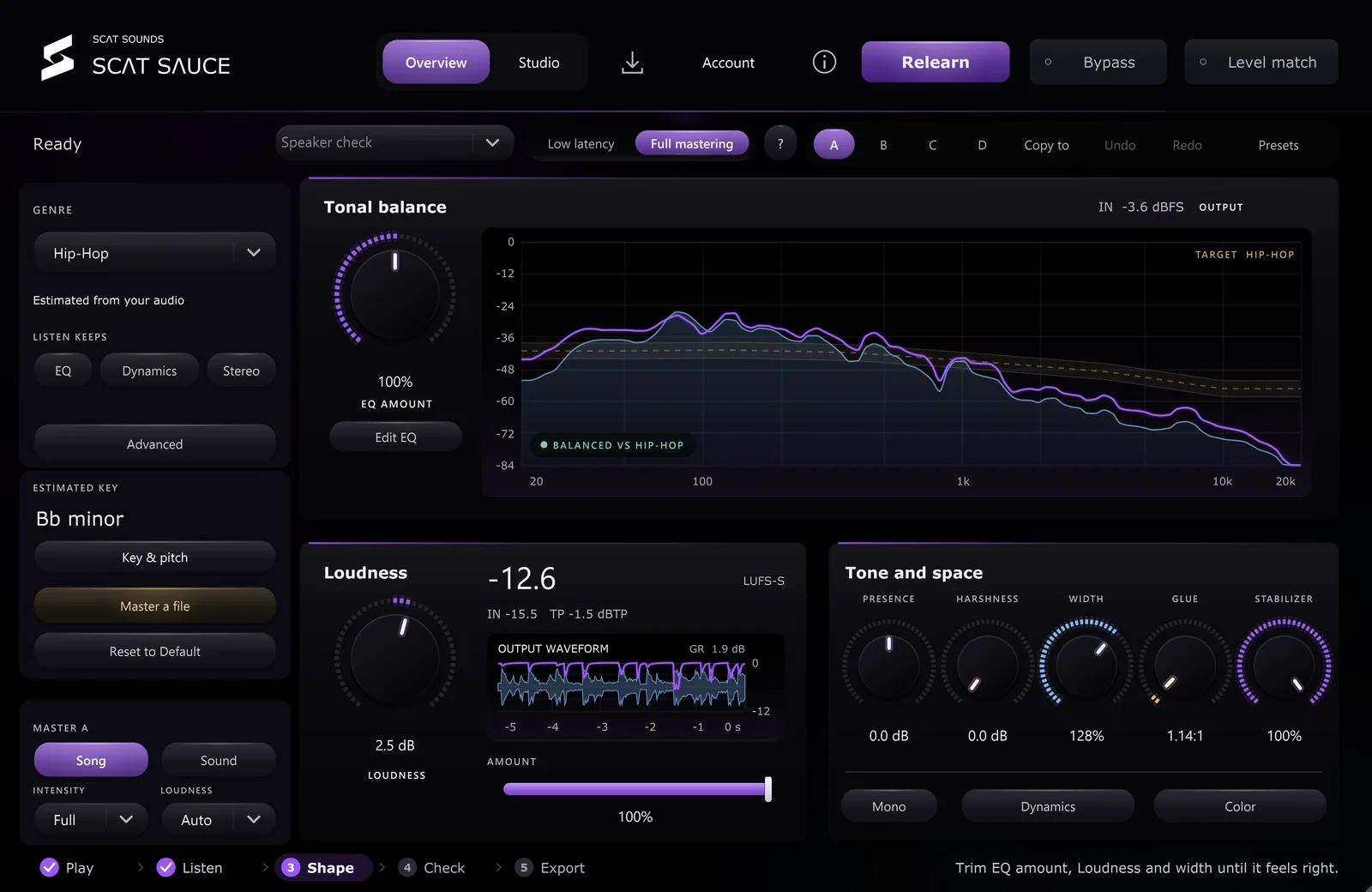
Listen

A finished starting point from one press.

Sauce analyzes a section of your mix against a genre target and sets EQ, dynamics, stereo, color and loudness. Keep the result, nudge it, or start from scratch.

  • One-press Listen
  • Genre targets with tonal balance curve
  • Estimated key with Key & pitch
  • Lock EQ, Dynamics or Stereo before relearning
  • Intensity and Auto loudness
  • Full mastering or Low latency mode
  • Step guide: Play, Listen, Shape, Check, Export
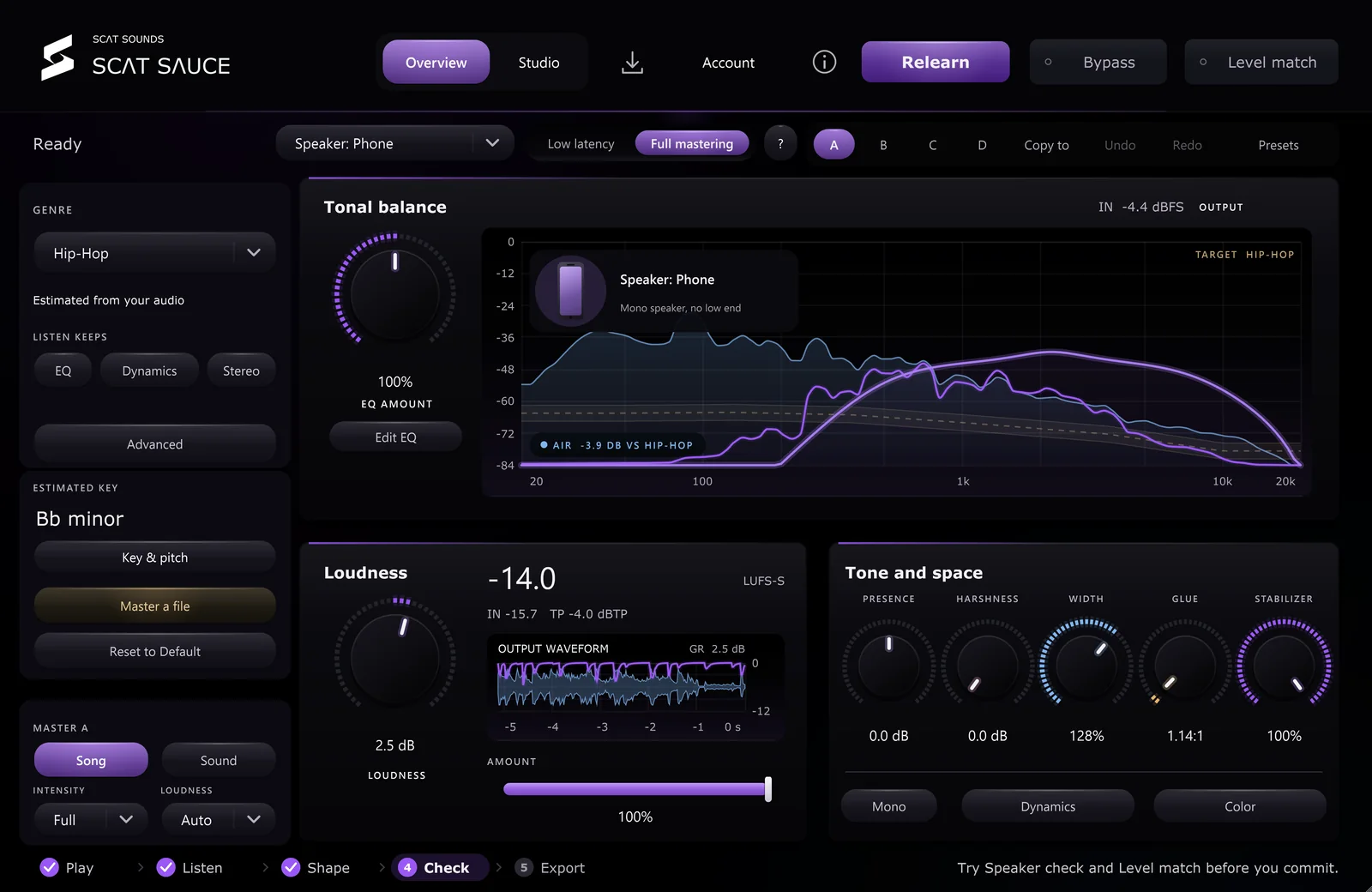
Speaker check in SCAT Sauce, tap to enlarge

Speaker check

Hear it on five systems, from one chair.

Switch the monitor path to the speakers your listeners actually use, each with its own response and room, and watch the response on your mix.

  • Phone
  • Earbuds
  • Laptop
  • Car
  • Club
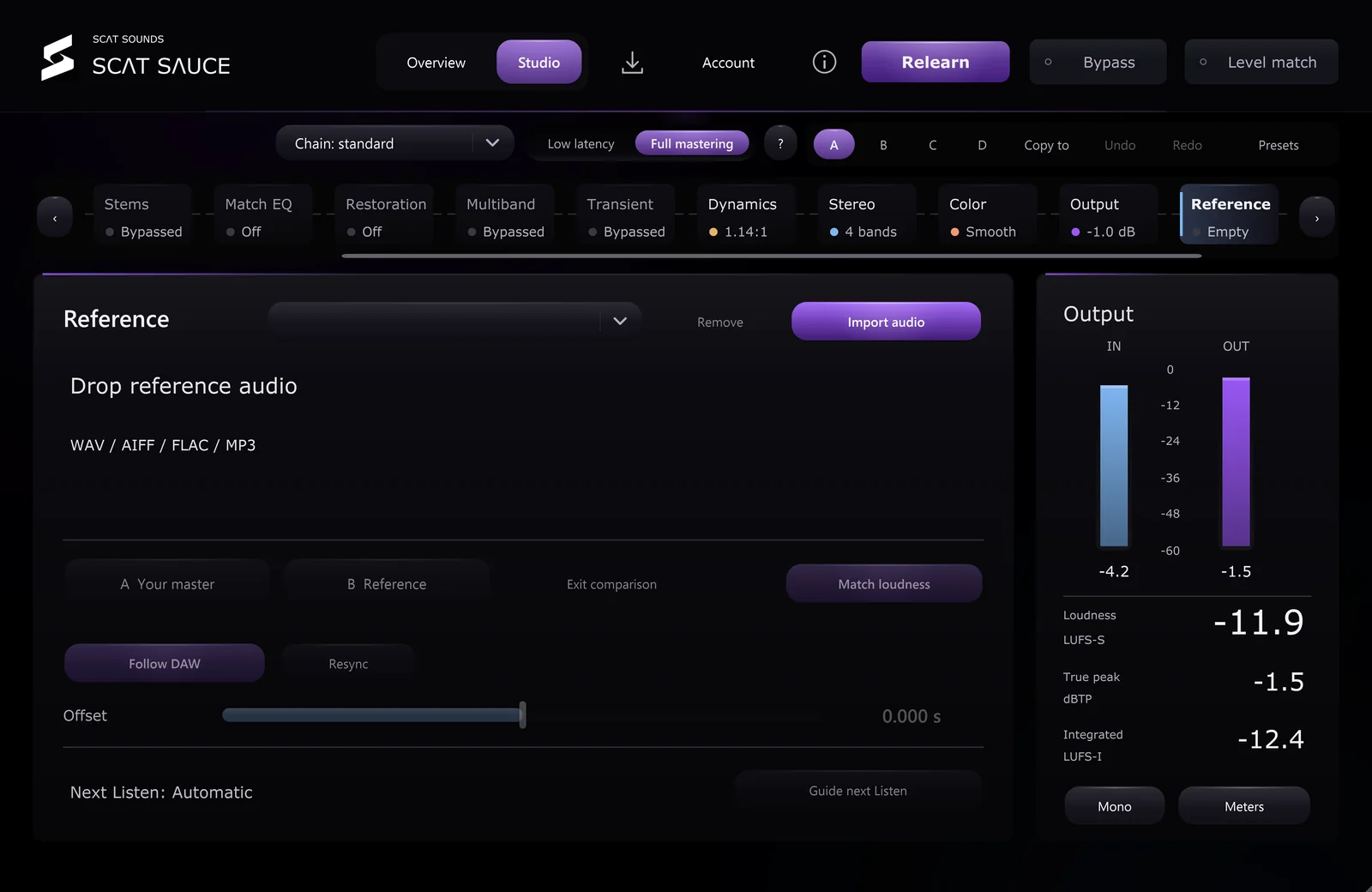
Reference in SCAT Sauce, tap to enlarge

Reference

Your favorite record, one click away.

Import a finished song or your last bounce, switch it against the SCAT output at matched loudness, and optionally let it guide the next Listen.

  • WAV, AIFF, FLAC and MP3
  • Loudness-matched switching
  • Timeline offset
  • Guide next Listen
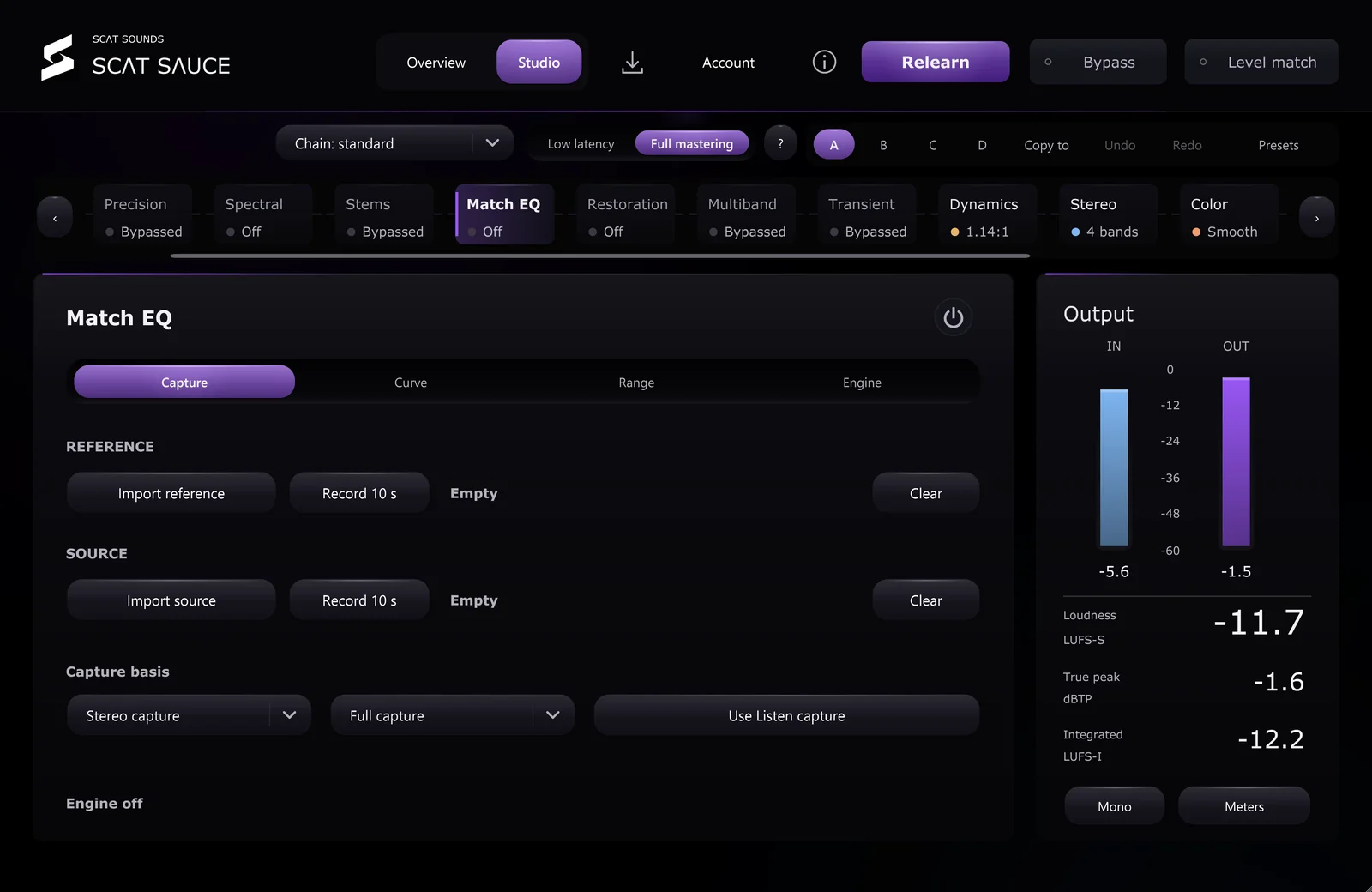
Match EQ in SCAT Sauce, tap to enlarge

Match EQ

Borrow the balance of any track.

Capture a reference and your source, live or from a file, and apply the difference as a smooth correction curve you control.

  • Live capture or import
  • Capture reference and source separately
  • Curve amount and range
  • Stereo or full-capture basis

Tone

Three equalizers. Each with a different job.

Broad musical balance, surgical precision and resonance control, all with a live spectrum underneath.

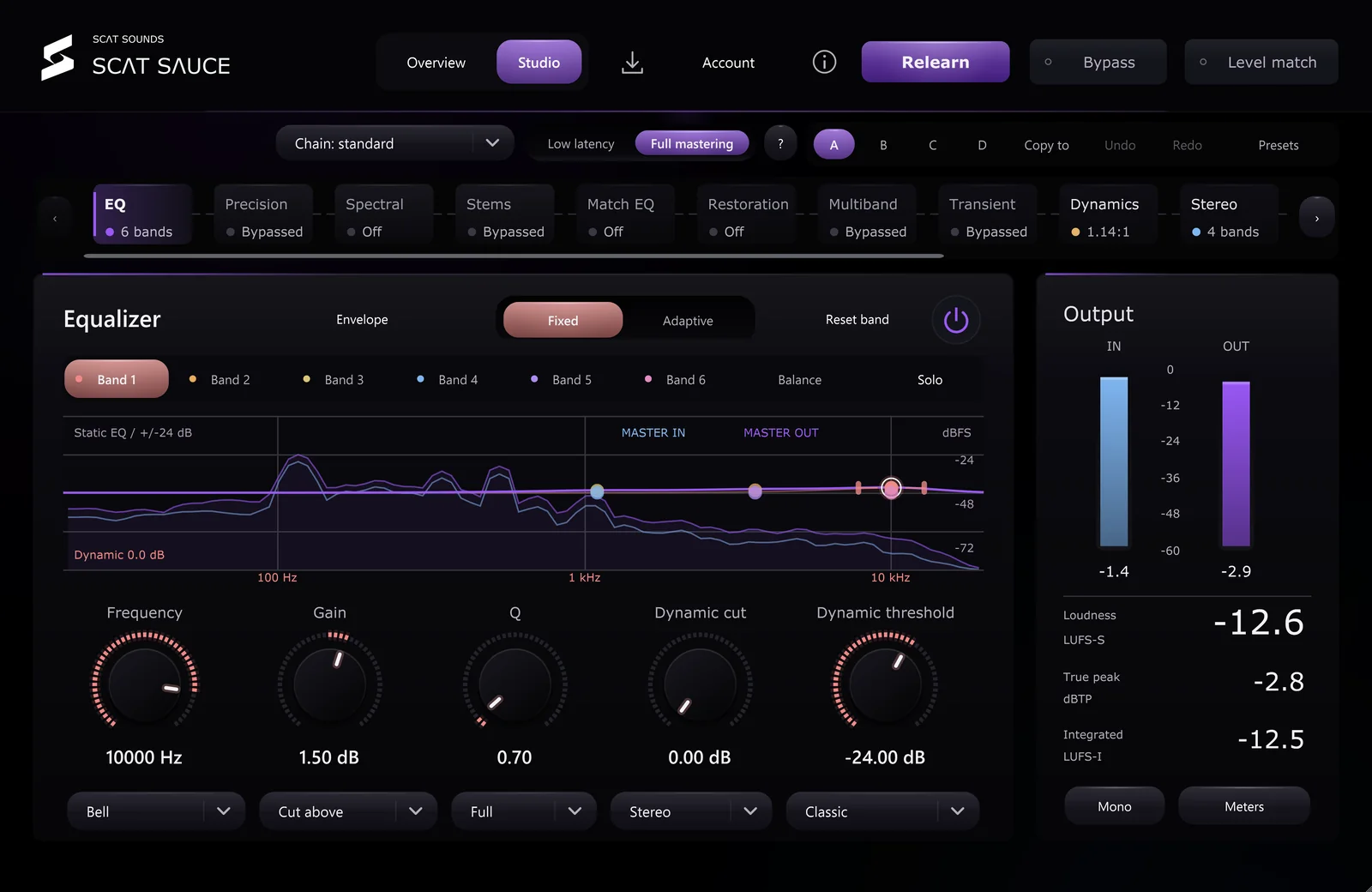
Dynamic EQ in SCAT Sauce, tap to enlarge

Dynamic EQ

EQ that only works when the music asks.

Six bands that can cut or lift dynamically, triggered by the whole signal, only the transients or only the sustain.

  • Six dynamic bands
  • Fixed or Adaptive envelope
  • Full, Transient or Sustain detection
  • Bell, shelf and cut shapes
  • Dynamic cut and threshold per band
  • Optional linear-phase mode
  • Band solo and audition
  • Optional sidechain input: key the bands from another track
  • Master in and out spectrum
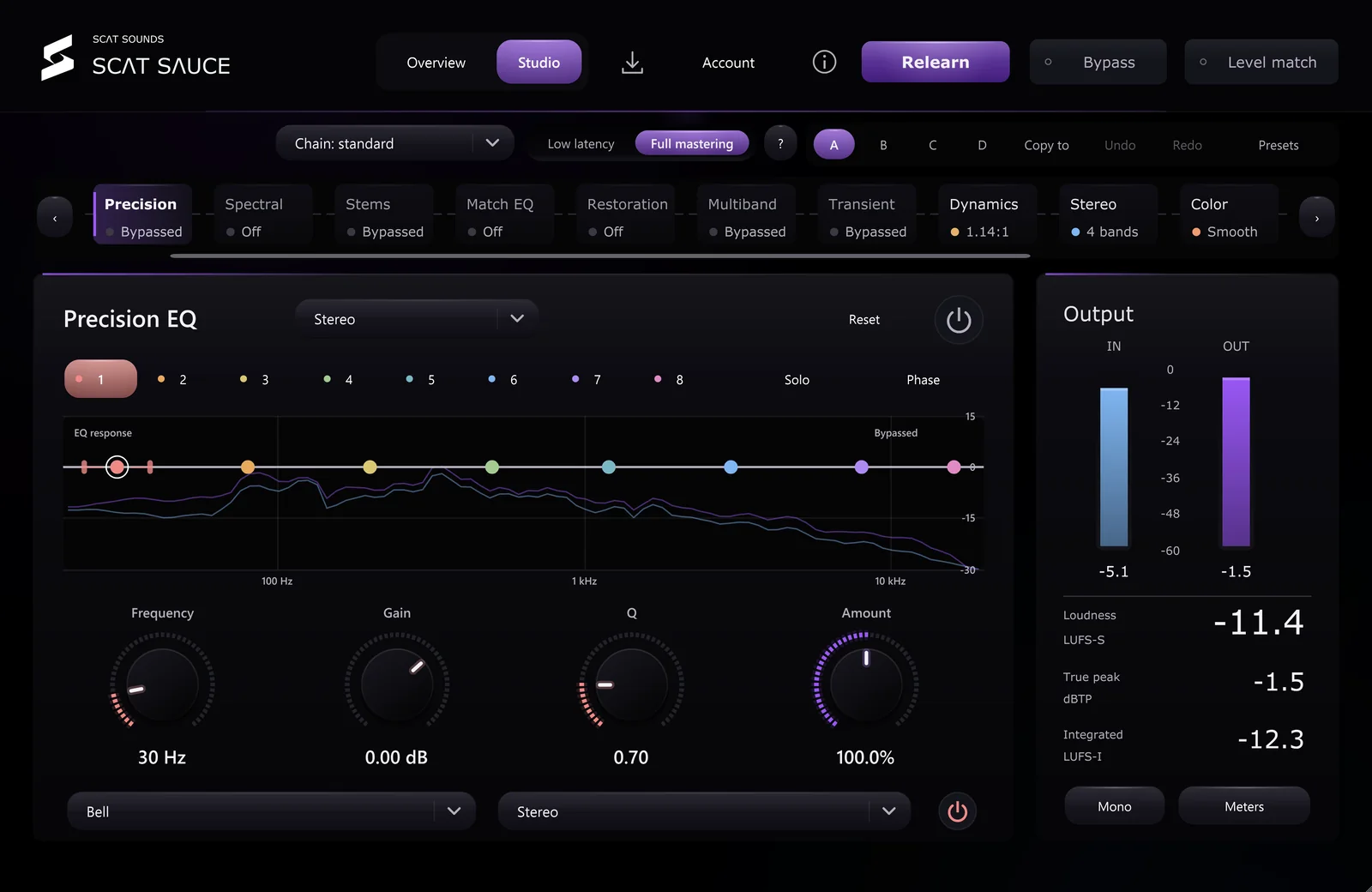
Precision EQ in SCAT Sauce, tap to enlarge

Precision EQ

Eight bands for surgical work.

A second equalizer with multiple filter families, independent routing per band and a choice of minimum or linear phase.

  • Eight bands per bank
  • Multiple filter families
  • Stereo, Mid/Side or Left/Right per band
  • Transient and sustain routing
  • Minimum or linear phase
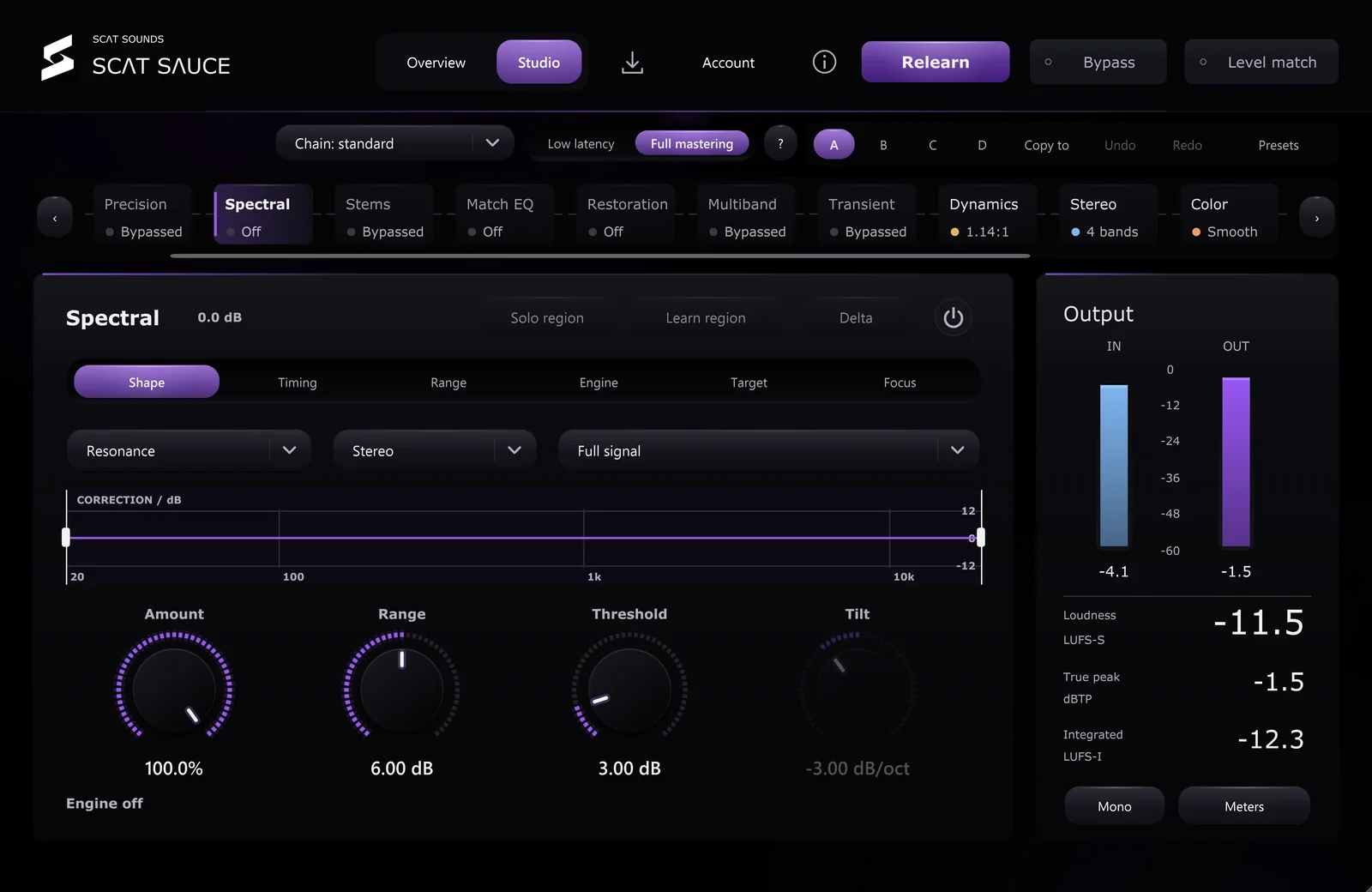
Spectral in SCAT Sauce, tap to enlarge

Spectral

Tame harshness without dulling the mix.

A spectral shaper that finds resonances and imbalance as they happen and smooths them only as much as you allow.

  • Resonance and balance shaping
  • Amount, range, threshold and tilt
  • Solo the processed region
  • Delta: hear only what changes

Dynamics

Control, without the squash.

Multiband and bus compression, transient shaping and low-end focus, with every gain-reduction trace on screen.

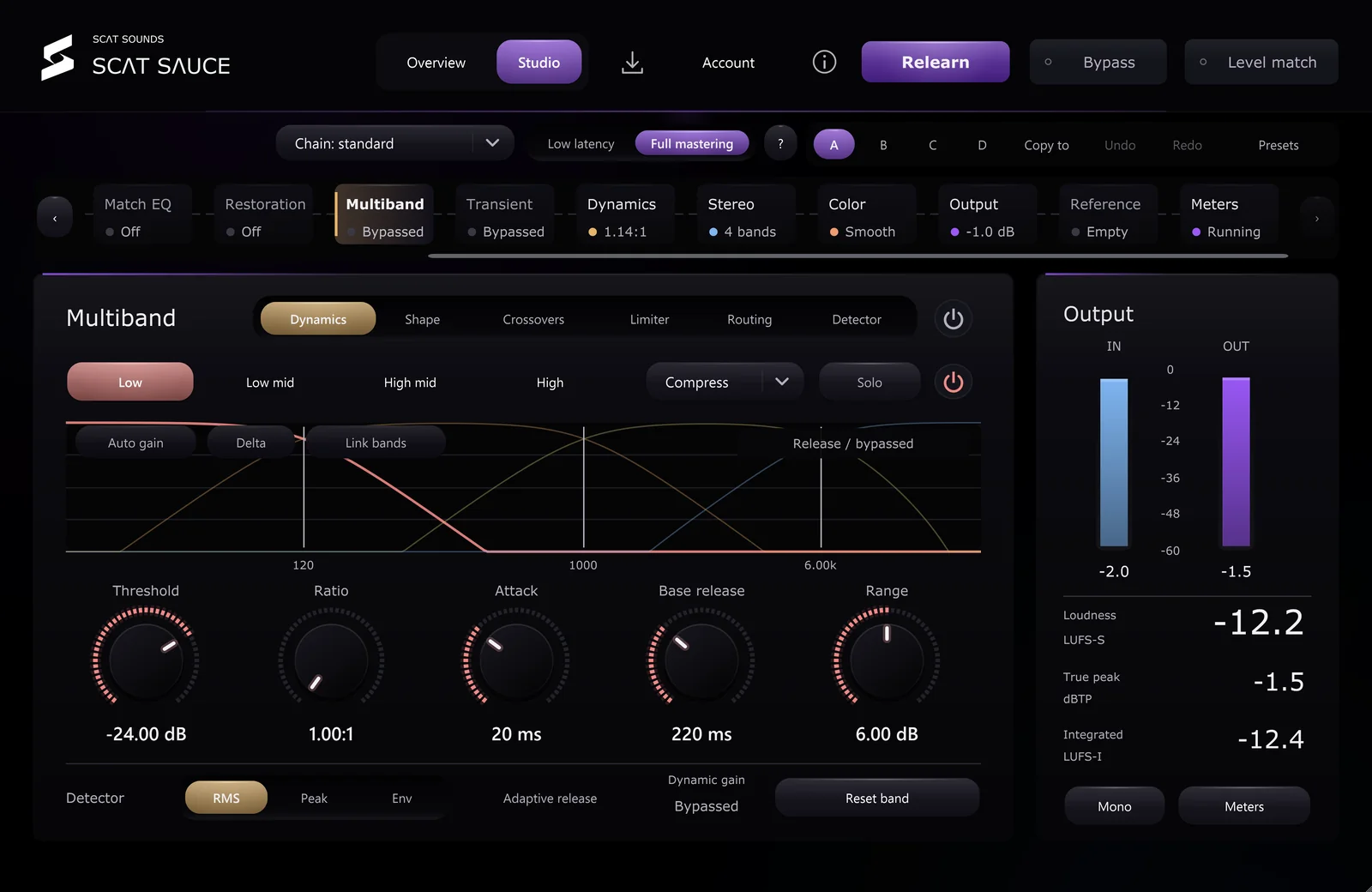
Multiband in SCAT Sauce, tap to enlarge

Multiband

Up to four bands. Each one its own compressor.

Drag the crossovers or let Sauce learn them, then compress, expand or lift each band independently, in stereo or mid/side.

  • 1 to 4 bands, learnable crossovers
  • Compress, expand and upward modes
  • RMS, Peak or Envelope detection
  • Adaptive release per band
  • Independent Mid/Side banks
  • Ratio up to 30:1
  • 0 to 10 ms lookahead
  • Band limiter
  • Auto makeup, Link, Solo and Delta
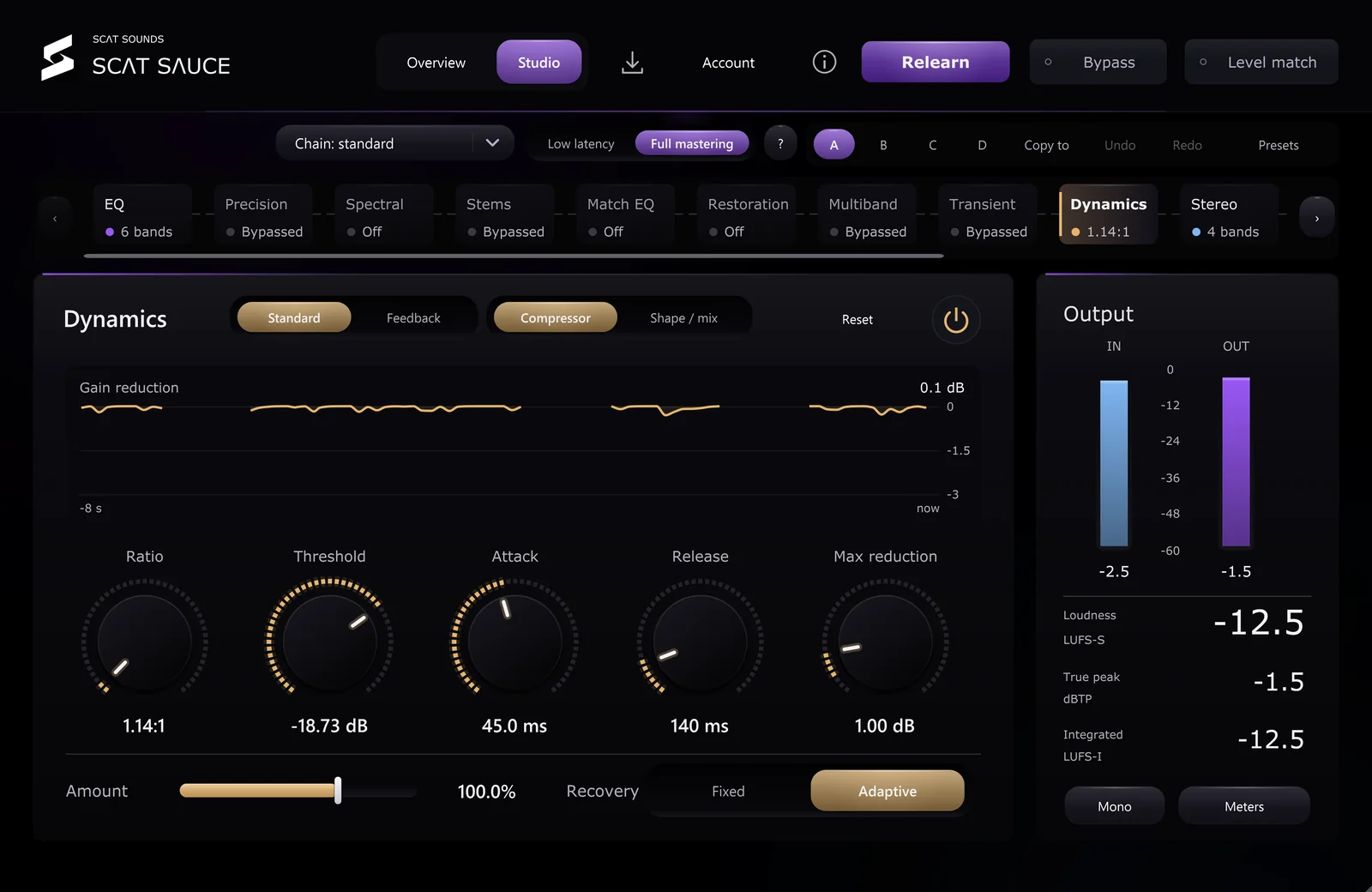
Bus compressor in SCAT Sauce, tap to enlarge

Bus compressor

Glue the whole mix.

A mastering bus compressor with adaptive recovery and parallel blend, shown separately from the limiter.

  • Ratio, threshold, attack, release
  • Maximum reduction
  • Adaptive or fixed recovery
  • Detector filtering and knee
  • Parallel amount
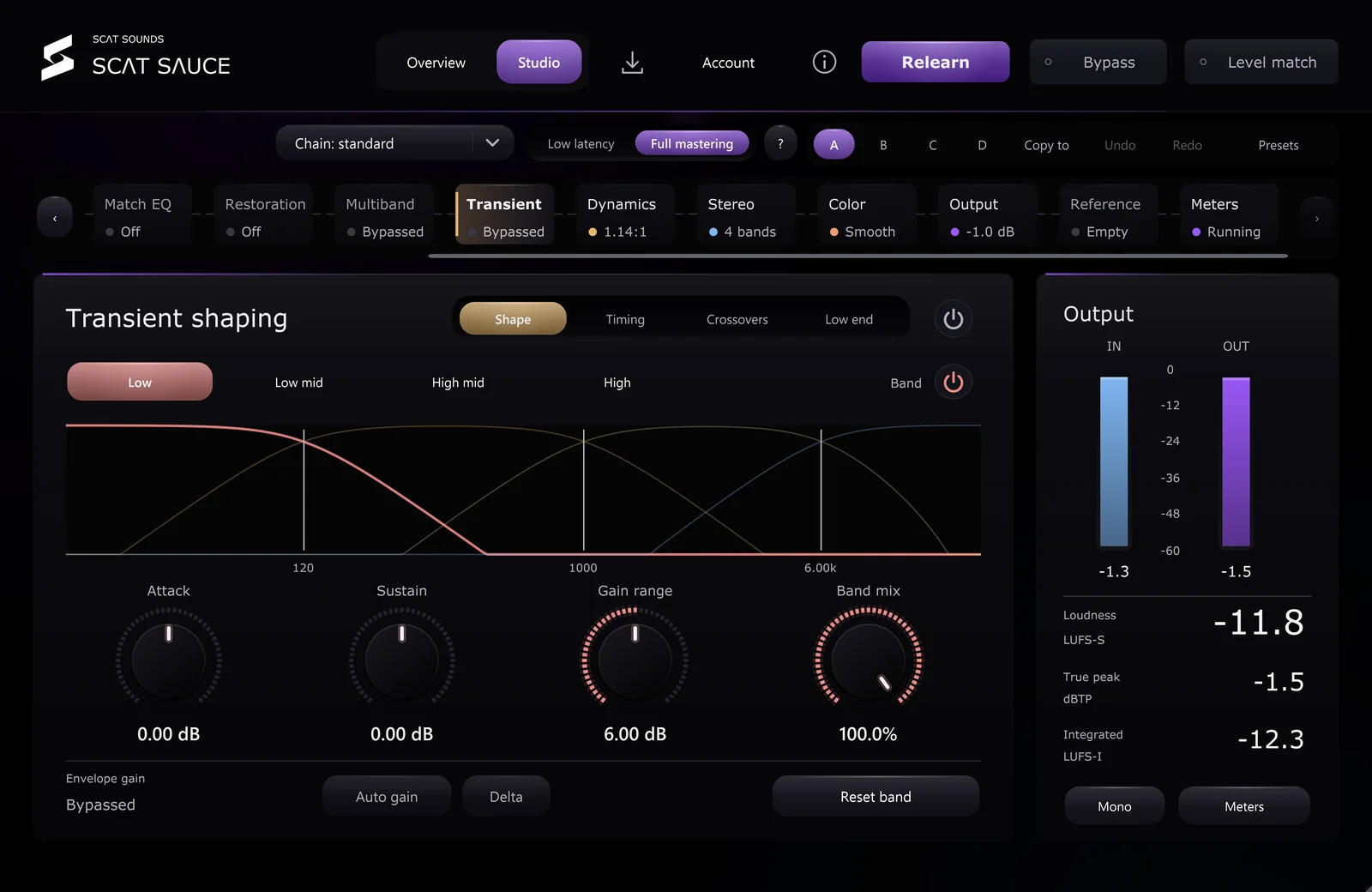
Transient in SCAT Sauce, tap to enlarge

Transient

Shape the punch, band by band.

Four-band attack and sustain control with editable timing and range, plus Low End Focus for tighter kick and bass.

  • Four-band attack and sustain
  • Editable timing and gain range
  • Band mix
  • Low End Focus
  • Auto gain and Delta

Space & color

Width you can trust. Warmth you can dial.

Stereo imaging that protects the low end, and harmonic color from subtle to forward.

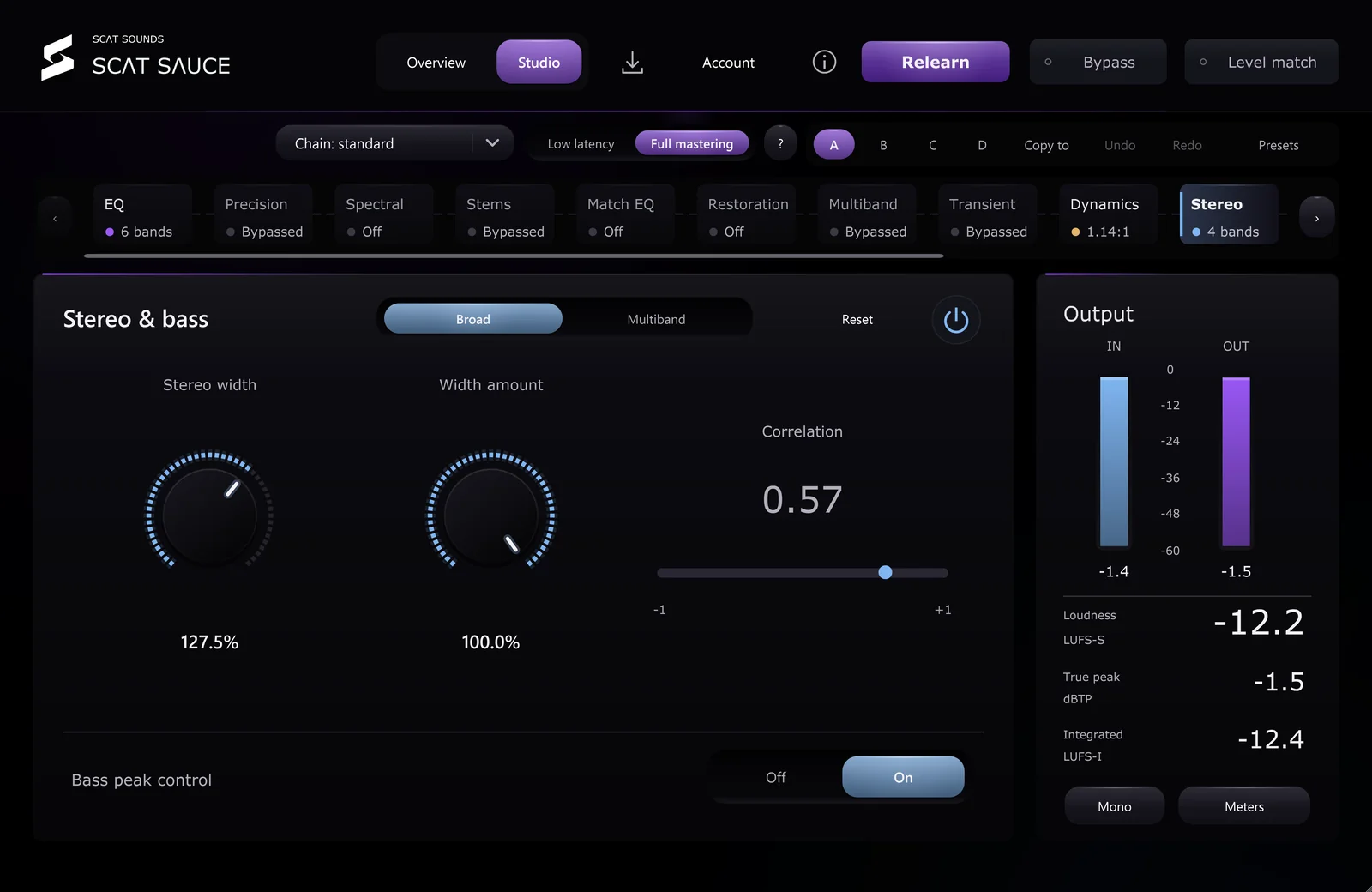
Stereo in SCAT Sauce, tap to enlarge

Stereo

Wider where it counts. Centered where it matters.

Four-band width with linear-phase crossovers, bass kept in the middle, and meters that tell you when to stop.

  • Four-band width from 0 to 200%
  • Linear-phase crossover option
  • Bass peak control
  • Recover sides when narrowing
  • Delay and Diffuse stereo generation
  • Correlation and vectorscope
  • One-click mono check
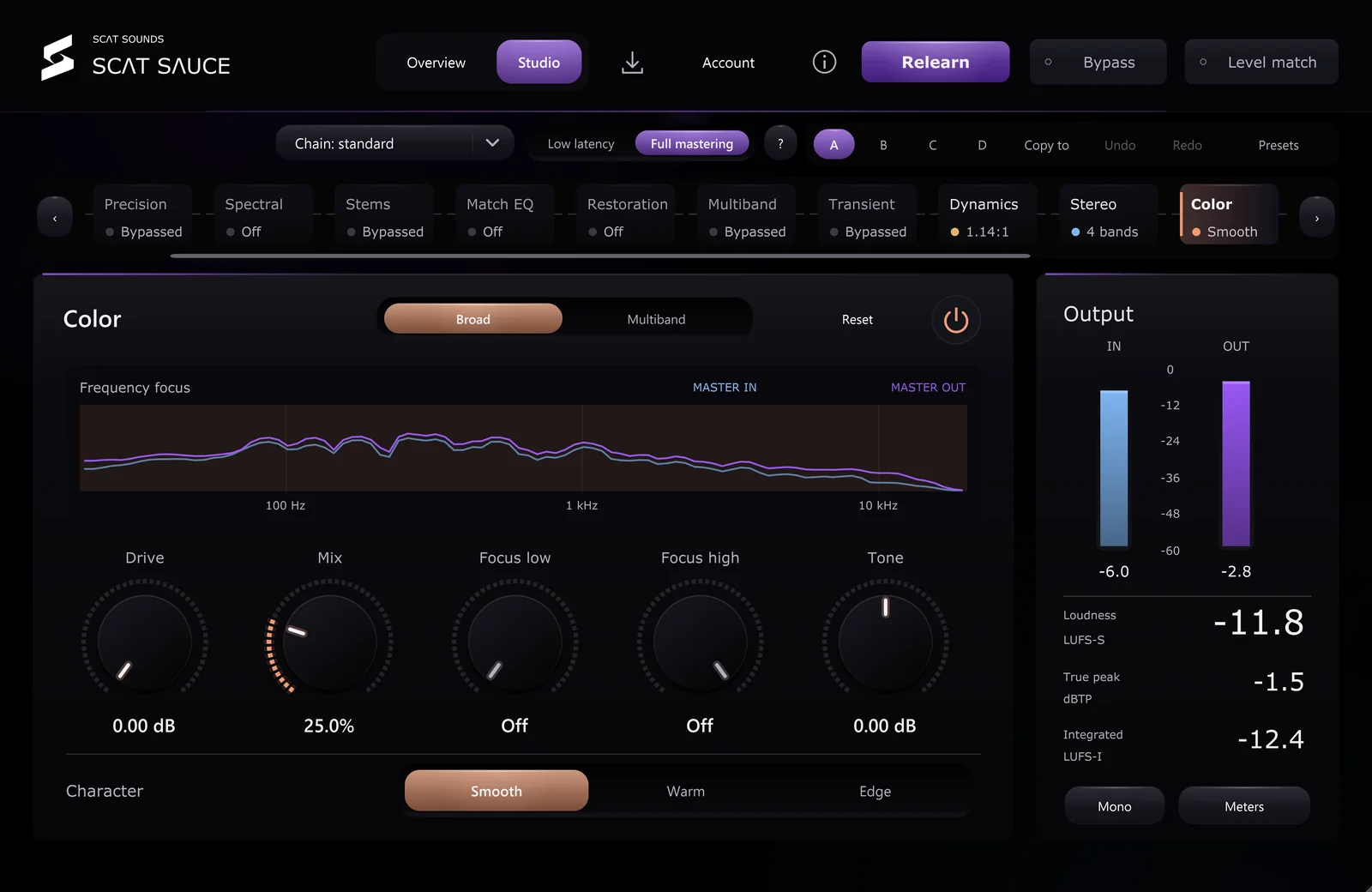
Color in SCAT Sauce, tap to enlarge

Color

Harmonic character, four bands deep.

Oversampled saturation with three characters and a vintage tape stage for glue and weight.

  • Four-band saturation
  • Smooth, Warm and Edge
  • 4x oversampled
  • Drive, mix, tone and focus
  • Vintage tape

Finish

Loud. Clean. Ready to upload.

A modern maximizer, final dither and a delivery check against every major platform.

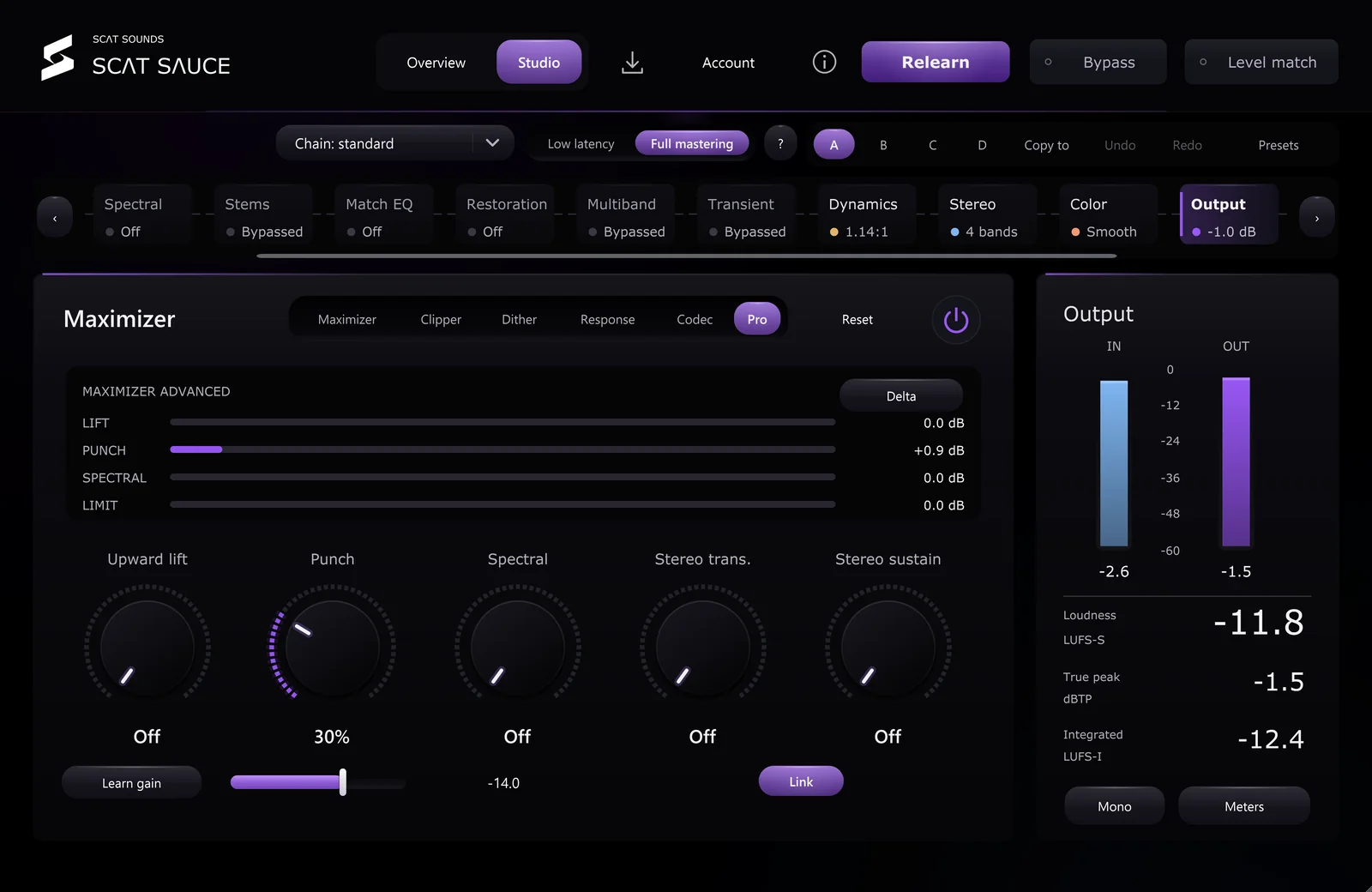
Maximizer in SCAT Sauce, tap to enlarge

Maximizer

Loud, and still safe.

A true-peak limiter with upward lift, punch and frequency-selective limiting, so loudness never costs you the transients.

  • True-peak ceiling
  • Upward lift and punch
  • Spectral, frequency-selective limiting
  • Stereo independence for transients and sustain
  • 4x clipper
  • Learn gain
  • Delta
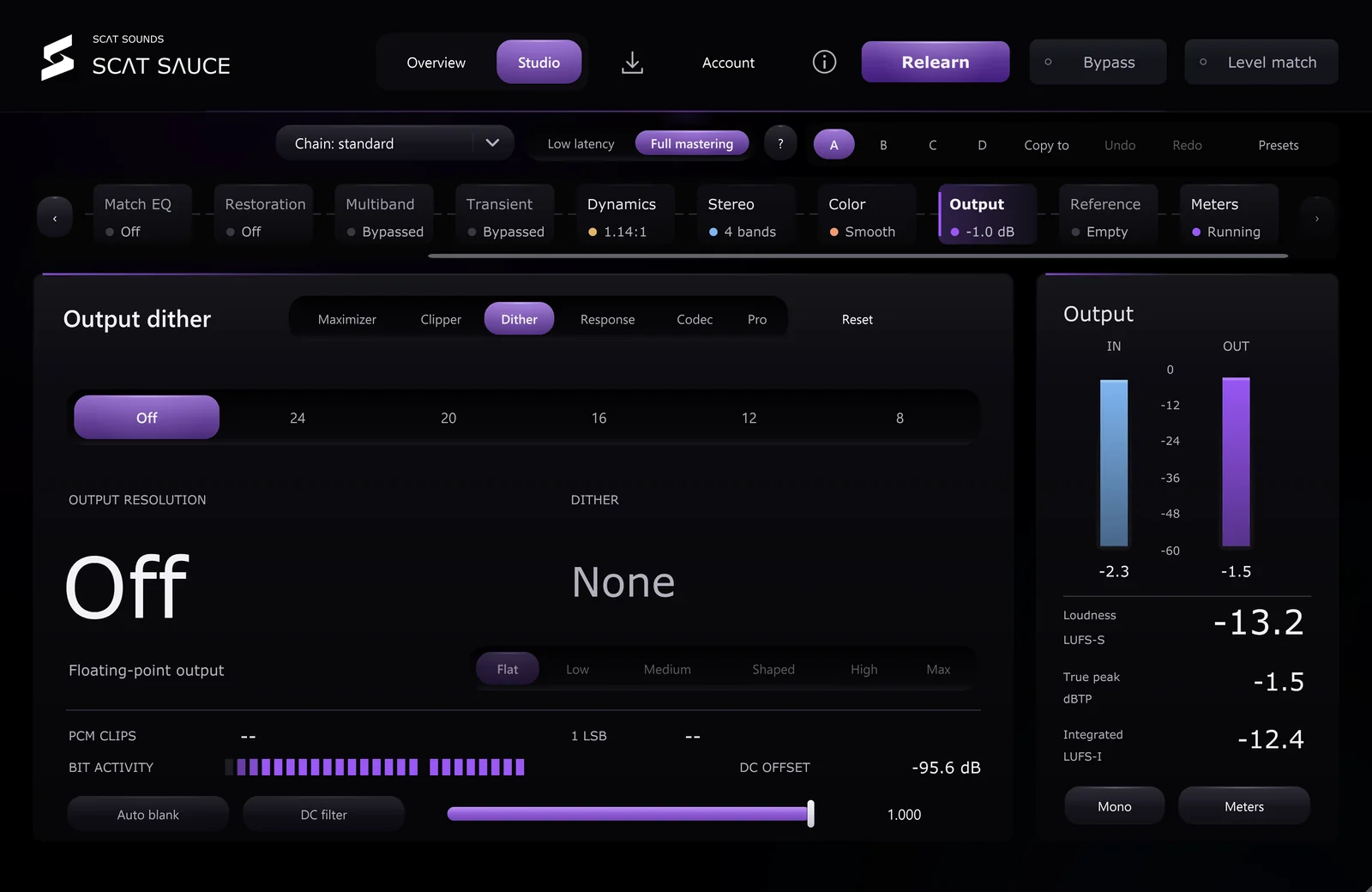
Dither in SCAT Sauce, tap to enlarge

Dither

The last bit, done right.

Final quantization for 16 or 24-bit delivery with optional noise shaping.

  • 16 or 24-bit TPDF dither
  • Noise shaping
  • Auto blank on silence
  • DC filter
  • Clip count
Delivery in SCAT Sauce, tap to enlarge

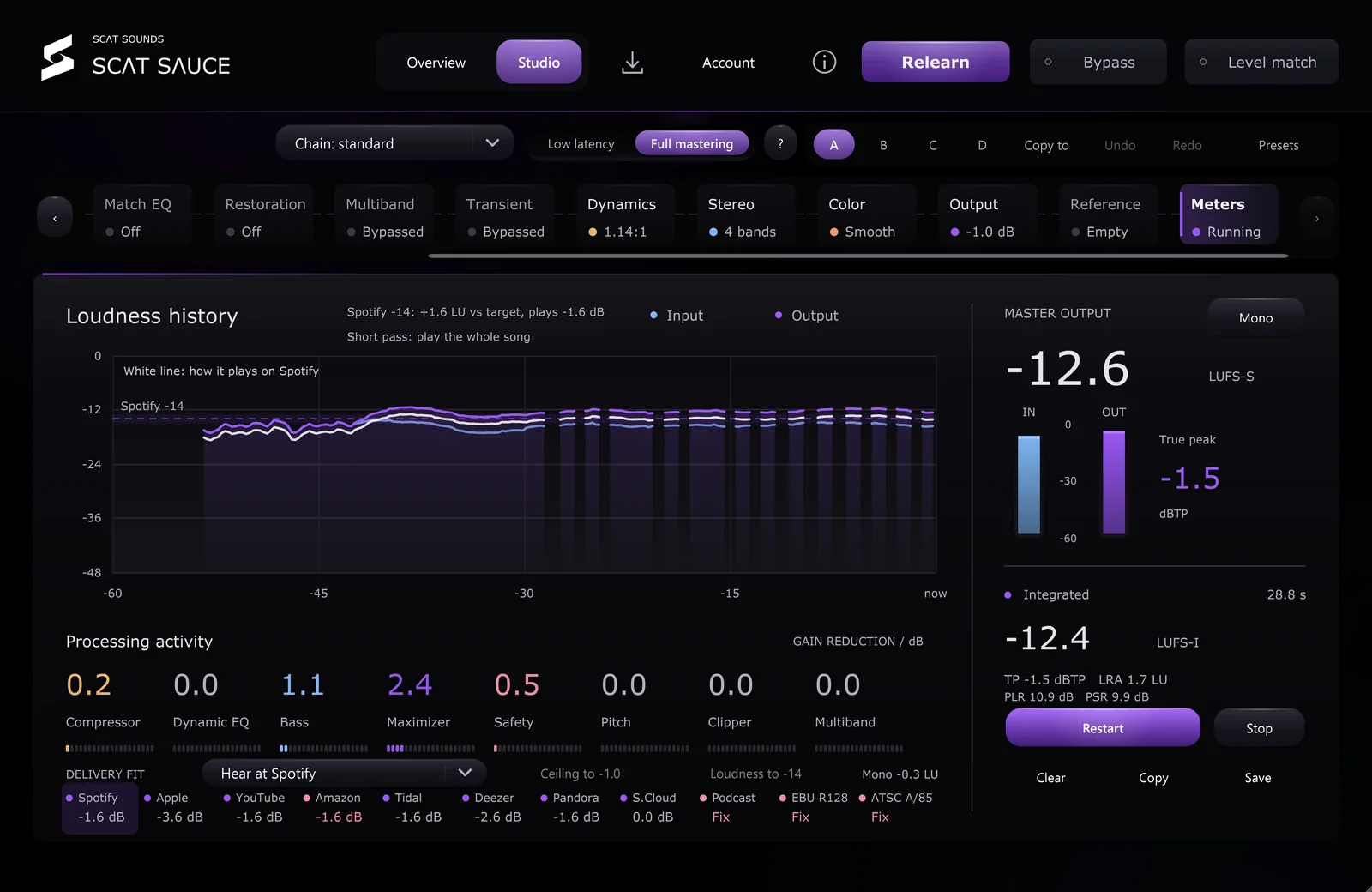
Delivery

Know before you upload.

Loudness history, what every module is doing right now, and a delivery report that checks your master against 11 streaming and broadcast targets and scores how ready it is to release.

  • Short-term and integrated LUFS
  • True peak and sample peak
  • Loudness history
  • Processing activity per module
  • Fit check for Spotify, Apple Music, YouTube, Amazon Music, Tidal, Deezer, Pandora, SoundCloud, podcasts, EBU R128 and ATSC A/85
  • Hear your master at a service’s playback level (monitoring only)
  • Release readiness score out of 100
  • Codec headroom, clipping and dropout checks
  • DC offset, start and end, stereo width, low-end phase, sub-bass, channel balance and inter-sample peaks
  • Mono check, plus a report you can copy or save

Stems & repair

Fix what the mix can’t.

Rebalance a finished stereo file and restore dynamics that were limited away.

Stems in SCAT Sauce, tap to enlarge

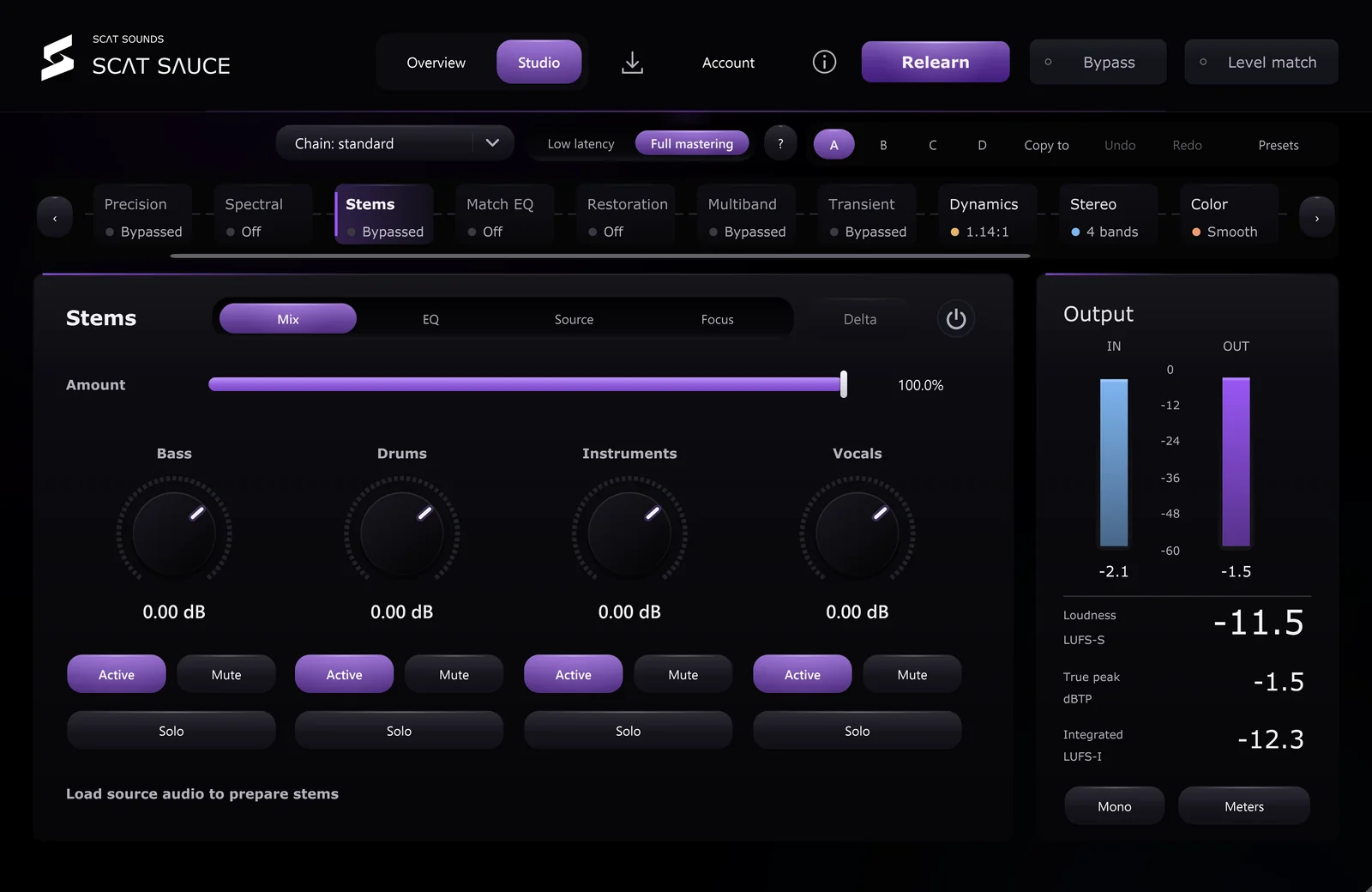
Stems

Turn up the vocal in a finished mix.

Load the source audio and Sauce prepares four stems you can rebalance and EQ, without needing the session.

  • Vocals, drums, bass and instruments
  • Gain, mute and solo per stem
  • Stem EQ
  • Prepared from your source file
Restoration in SCAT Sauce, tap to enlarge

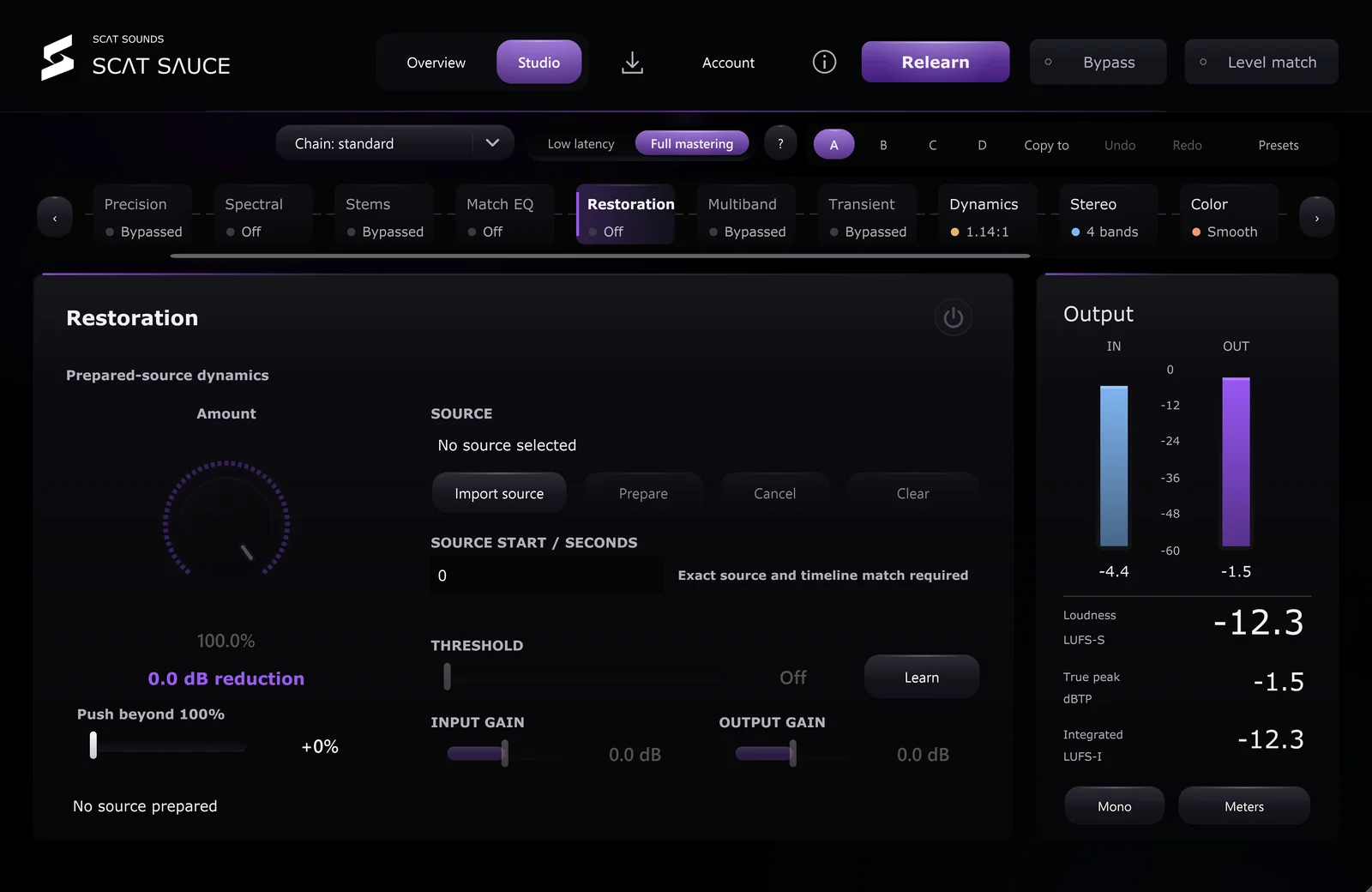
Restoration

Give an over-limited master its punch back.

Prepare the source and Sauce restores dynamics squashed by heavy limiting, with a learned threshold and push beyond 100%.

  • Restore up to 200% with Push
  • Learned threshold
  • Input and output gain
  • Exact source and timeline matching

Workflow

The details that save sessions.

  • A / B / C / D

    Four complete snapshots to compare ideas instantly.

  • Undo and redo

    Every move is reversible.

  • Copy to

    Copy settings between snapshots.

  • Chain order

    Choose the processing chain that fits the track.

  • Presets

    Save and recall your own finishes.

  • Bypass

    Hear the original, latency aligned.

  • Level match

    Judge tone, not volume.

  • Delta

    Hear only what a module changes.

  • Amount

    Scale the whole chain from 0 to 100%.

  • 4K interface

    Vector UI, sharp up to 3840 px wide.

  • Windows and Mac

    VST3 on Windows. Universal AU / VST3 beta on Mac. Pro Tools AAX coming soon.

  • Works offline

    Activate once, then offline for 30 days at a time.

All of it. $100, once.

No subscription. Windows and Mac. Future updates included.